Instances
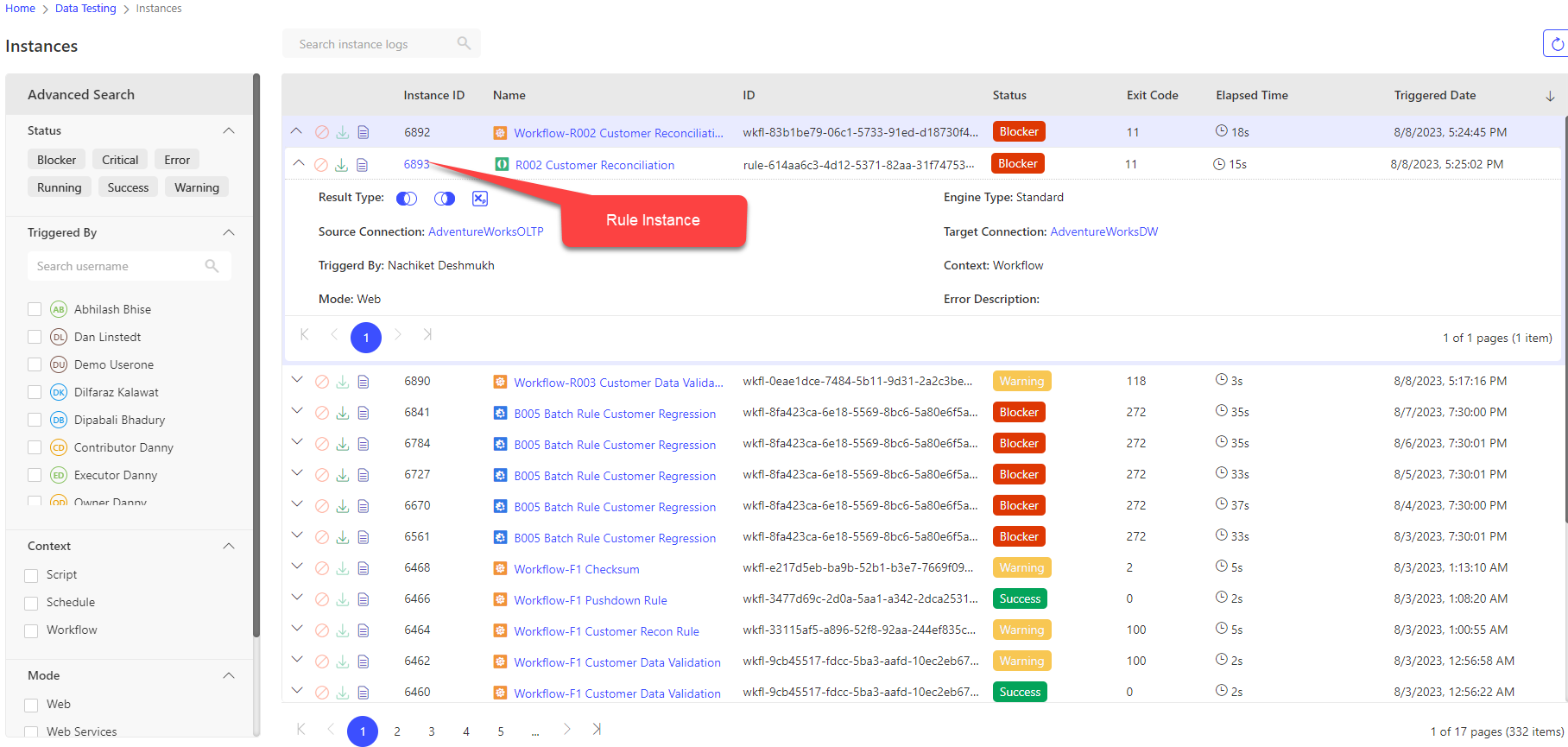
iceDQ instances allows users to view and track the workflow execution logs in a workspace. It can be used to view
- The number of times the workflow has been executed.
- The execution status of the workflow.
- The execution status of sequences in a workflow.
Users can search and filter the workflow instances as follows
- Search by Instance ID.
- Search by ID.
- Filter by status viz blocker, critical, running etc.
- Filter by users who triggered.
- Filter by the context viz script, schedule, workflow.
- Filter by mode viz web, web services.
- Filter by triggered from/to dates.
important
User has to clear the search and filters applied to view all the workflow instances.
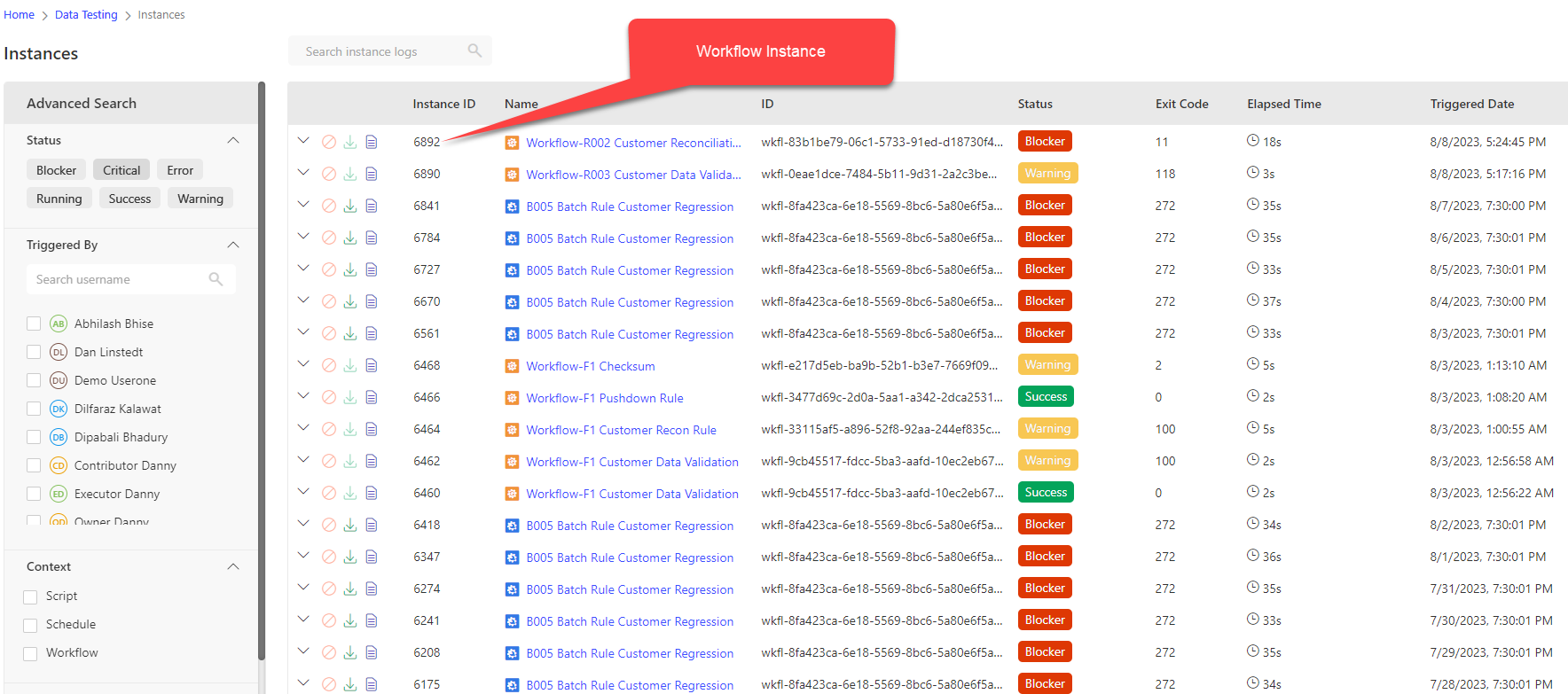
Below are the detailed description of columns displayed in instances screen.
| Column | Description |
|---|---|
| Instance ID | Instance Id of the workflow/rule executed. |
| Name | Workflow/rule name. |
| ID | Workflow/rule ID. |
| Status | Status of workflow instance. |
| Exit Code | Workflow/Rule exit code. |
| Elapsed Time | Time taken to execute workflow/rule. |
| Triggered Date | Date and Time the workflow was triggered. |
User has to expand the workflow instance node to view the rule instance details.